How to Look Good on Zoom
There are a lot of tips flying around for how to use Zoom and other video conferencing apps at the moment, as the world takes to the virtual meeting! How to look good on Zoom is sometimes overlooked in amongst the technical information.
I hope I can add some useful tips into the mix from a photographer’s point of view…
As a photographer, I’ve trained myself to notice how people look in different lighting conditions. While out shooting, I need to constantly assess the light in order to decide where to position myself and my subject to make them look great.
In the studio, it’s all about choosing the lighting modifier and positioning that light to give the look you want. Subtle repositioning of the light can make a big difference to how someone looks.
So when it comes to videoconferencing on Zoom, I can’t help but notice how people are looking in the lighting conditions they have at their home or office.
And what I’m noticing is that a lot of people could make a few changes to dramatically improve how they look on Zoom. On one call this week, I was demonstrating this to someone and asked them to move their laptop. The better light literally made them look 10 years younger!
I think a lot of the time, we just think about positioning our laptop/camera wherever it’s convenient for us at the time. But consider your colleagues on the other end and think about how it looks to them.
Vanity aside, if you’re having calls with clients, you’ll come across as more professional if you look good on camera, in the same way as having a professional headshot on your LinkedIn profile.
So, what can you do to look better on Zoom?
Camera Position
No one wants to be looking up your nose for the entire call!
So you need to consider where you position your camera. This may be integrated into your laptop, which means you’ll need to adjust the position of your whole laptop. But it will be worth it!
Move your camera up so it’s directly in front of you.
Don’t move it too high though, you want it looking straight at you ideally. If it’s too high, the viewer will be looking at the top of your head, which is no good either.
Ideally, you want the camera as close as possible to the screen you’re using. That way, as you look at your colleagues on the screen it will seem to them as though you’re looking directly at them, rather than above, below or off to the side of them.
Finally, think about how far you are from the camera. As you get closer, you become distorted, which isn’t a good look for anyone! So move back a little – usually just to where it’s comfortable to type on your keyboard is far enough.

Lighting
This where most people can improve a lot. You can make a dramatic difference to the way you look on a Zoom call with the right lighting.
We want your skin tone to look good and for your face to be evenly lit. Good lighting reduces the appearance of wrinkles (which can be seen because of shadows) and makes you generally look healthy!
First some theory.
When the camera assesses the ‘scene’ in front of it, it makes a judgement as to how bright to make the picture. Therefore, if there’s a lot of background light (from windows or other lights), the camera will lower the overall brightness in order to compensate. Consequently, it will make you look less bright and your skin tone may look quite dull as a result.
The other aspect of lighting which is important is what we call the ‘quality’ of the light. There are two main types of light – hard light and soft light. Hard light creates very hard shadows – for example, your nose may create a shadow on your face, or you may have ‘panda eyes’.
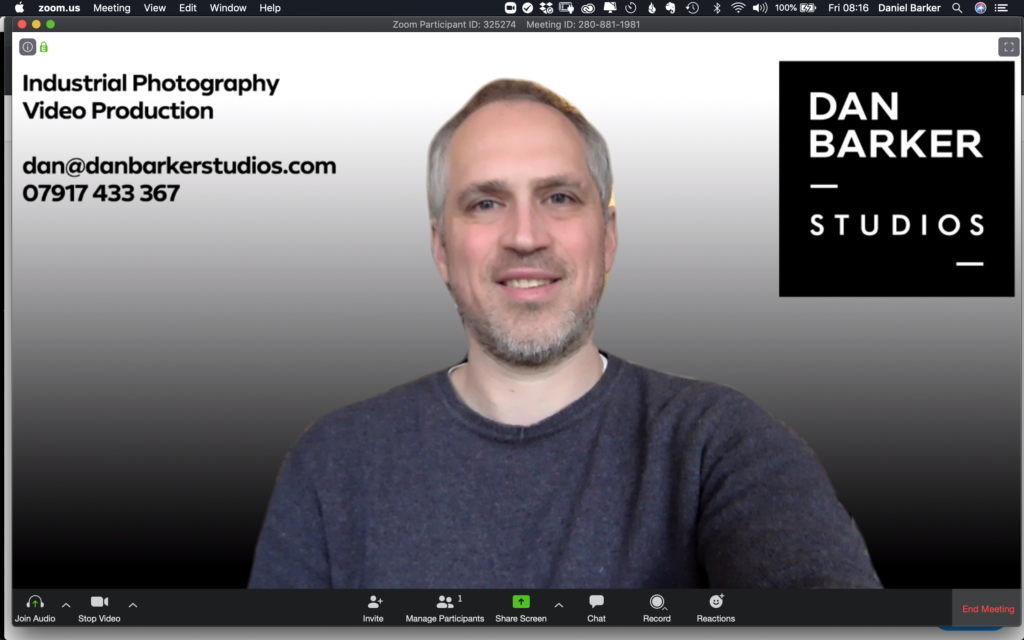
Soft light creates more of an even light across your face, with less harsh shadows. The image below if a screengrab while using my home set up during the day. You can see that my face is evenly lit, with no harsh shadows:
The ideal light for making you look good on a Zoom call is a fairly bright and soft light. So how do you create a soft light?
There are a few ways to do it. You can either use a large light source, use multiple lights, or bounce light off a wall in front of you.
An example of a large light source would be a window (during the day), but not with the sun shining directly onto you. Or if you have access to a bright light, you can shine it through a diffuser, such as a piece of white fabric or tracing paper. You can also direct your lights at a neutral coloured wall in front of you to create a soft light (reflecting off the wall onto you).
If you can’t use daylight or a large light source, the next best thing is to simply make sure you position yourself so that the light or lights you have are in front of you. That way they’ll be lighting your face.
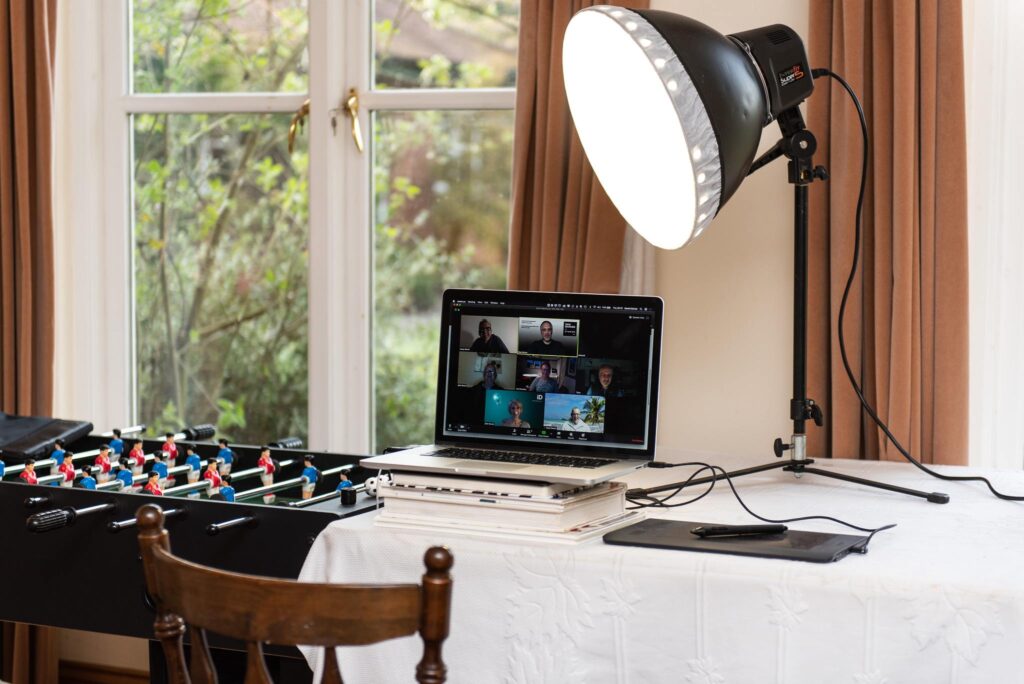
Here’s an example of my home videoconferencing setup. During the day, the windows create a pleasing soft light and in the evening, the video light is positioned to light my face evenly:

Recommendations for Looking Your Best on Zoom
In summary, there are two things to consider:
- Camera Position – directly in front of you, pointing horizontally towards you. Don’t sit too close to the camera or you’ll become distorted.
- Lighting – ensure the light source is in front of you, not behind you. A large, soft light is best – window light during the day and whatever you can manage at night.
I hope these tips from a photographer’s point of view help you to look better on your Zoom calls (other videoconferencing apps are available!).
If you have any questions, please feel free to email me. We can always set up a call and I can talk you through getting the best set up possible.